


Steps to Download the Correct Version for macOS
-
Determine Your Mac’s Processor Type
-
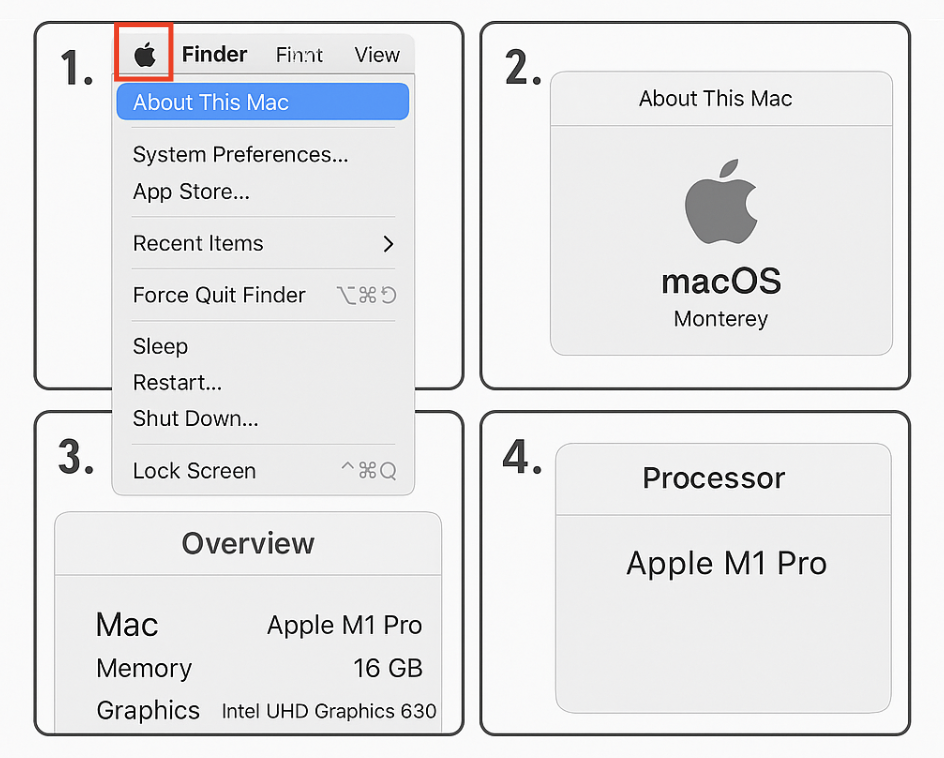
Click the Apple menu () in the top-left corner of your screen and select About This Mac.
-
Under Chip or Processor, identify whether your Mac uses Apple Silicon (e.g., M1, M2, M3) or Intel.
-
-
Access the Download Page
-
Visit: /download_app
-
-
Select macOS as Your Platform
-
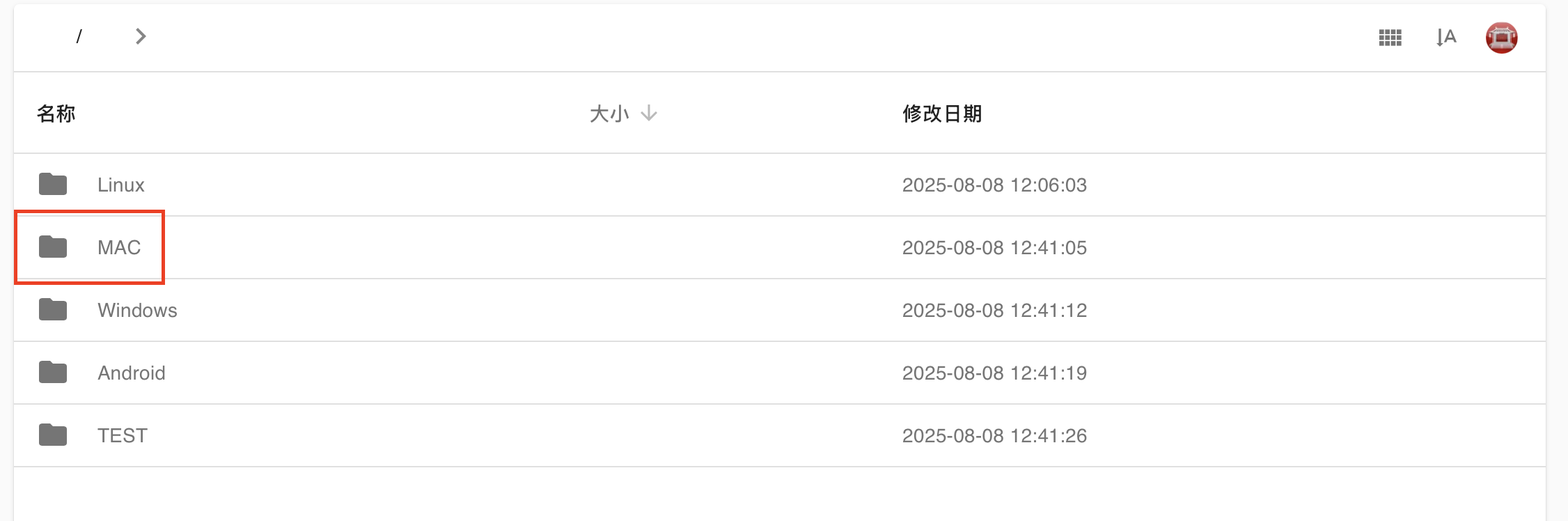
On the website, choose Mac from the list of available platforms.
-
-
Download the Appropriate Version
-
For Apple Silicon (M1, M2, M3) — select the ARM64 version.
-
For Intel-based Macs — select the Intel x86_64 version.

-