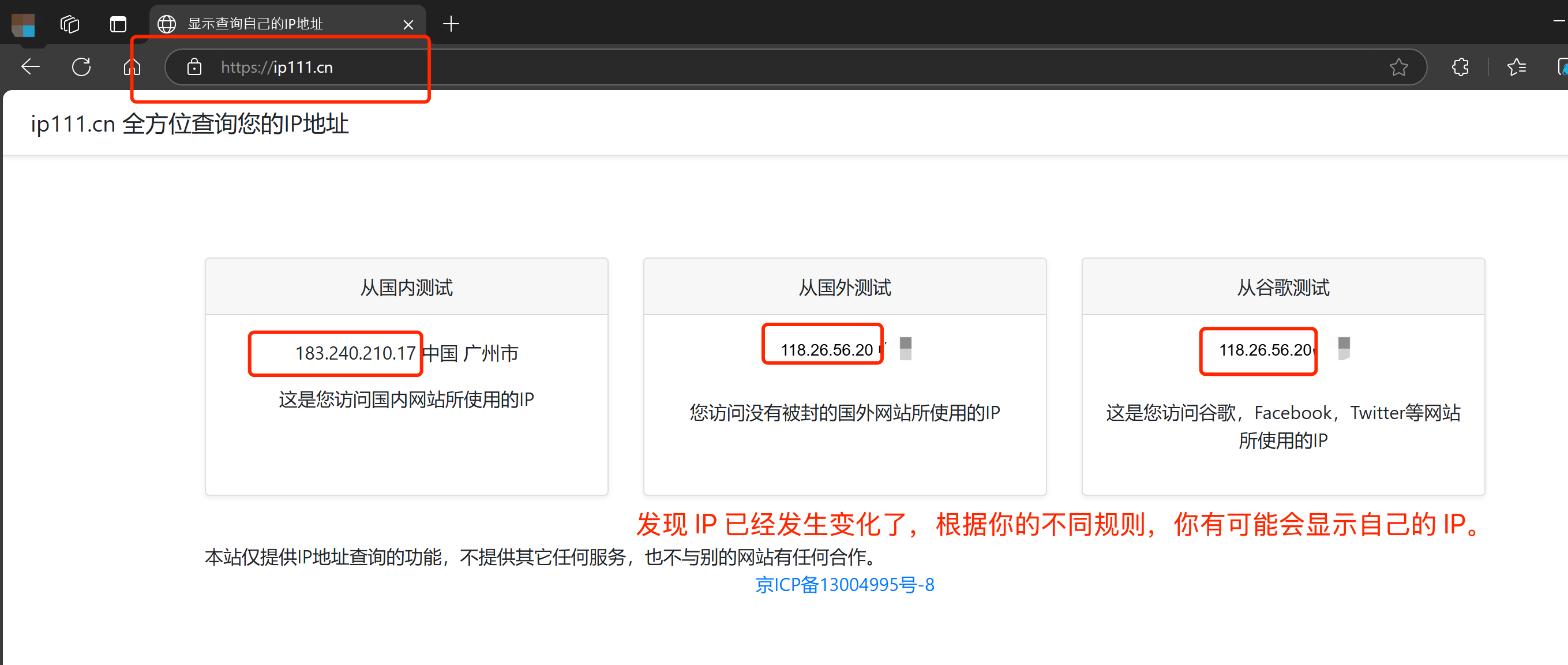


1. 下載客戶端並安裝
Clash for Windows
https://dl.clashforwindows.org/releases/latest/Clash.for.Windows.Setup.0.20.39.exe
更多其它端也可以在這裏找:
https://dl.clashforwindows.org/releases/latest/
備用下載點:
Clash.for.Windows.Setup.0.20.39.exe
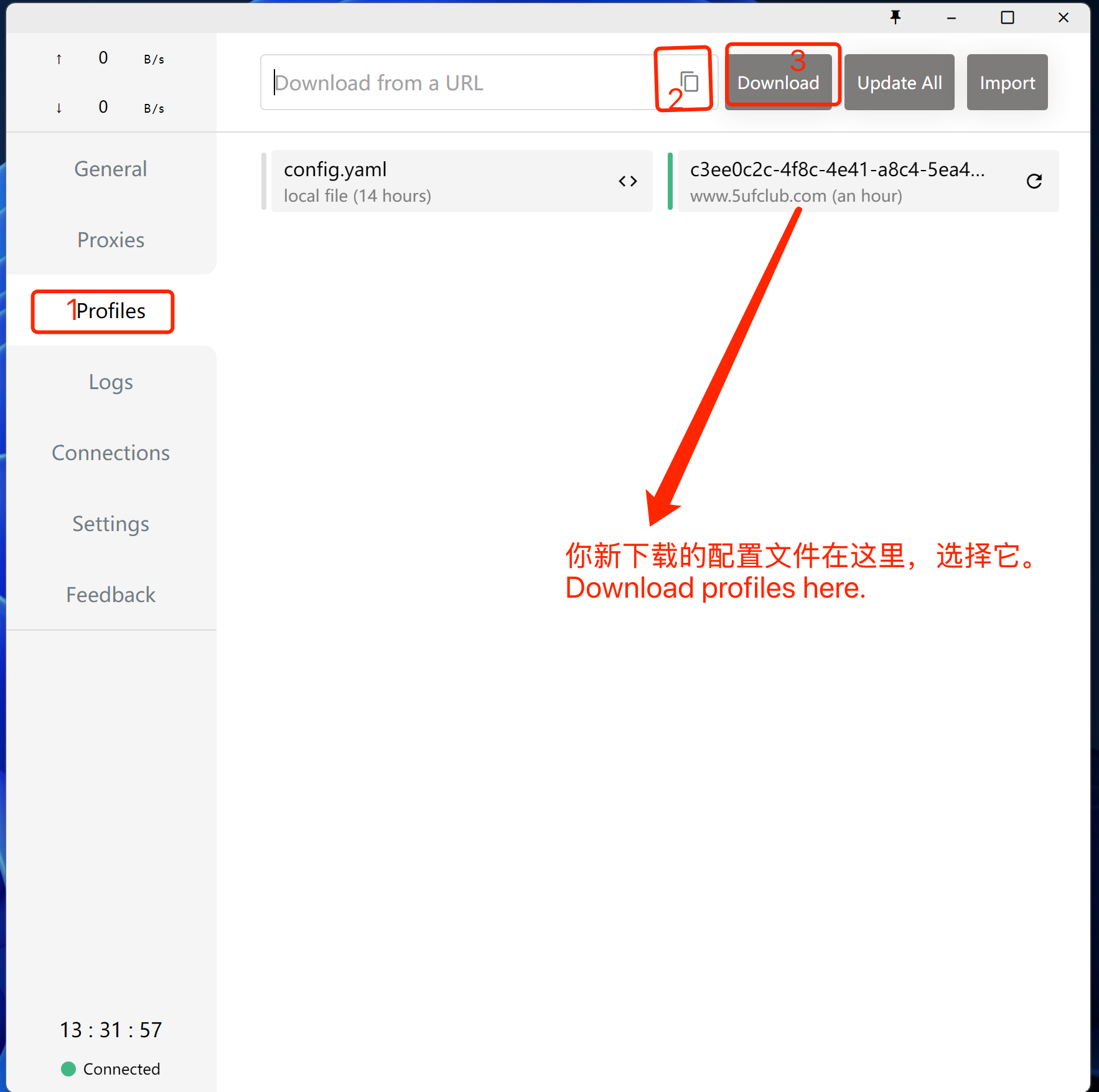
2. 點擊導入
從我們的網站上獲取訂閱地址
3. 使用
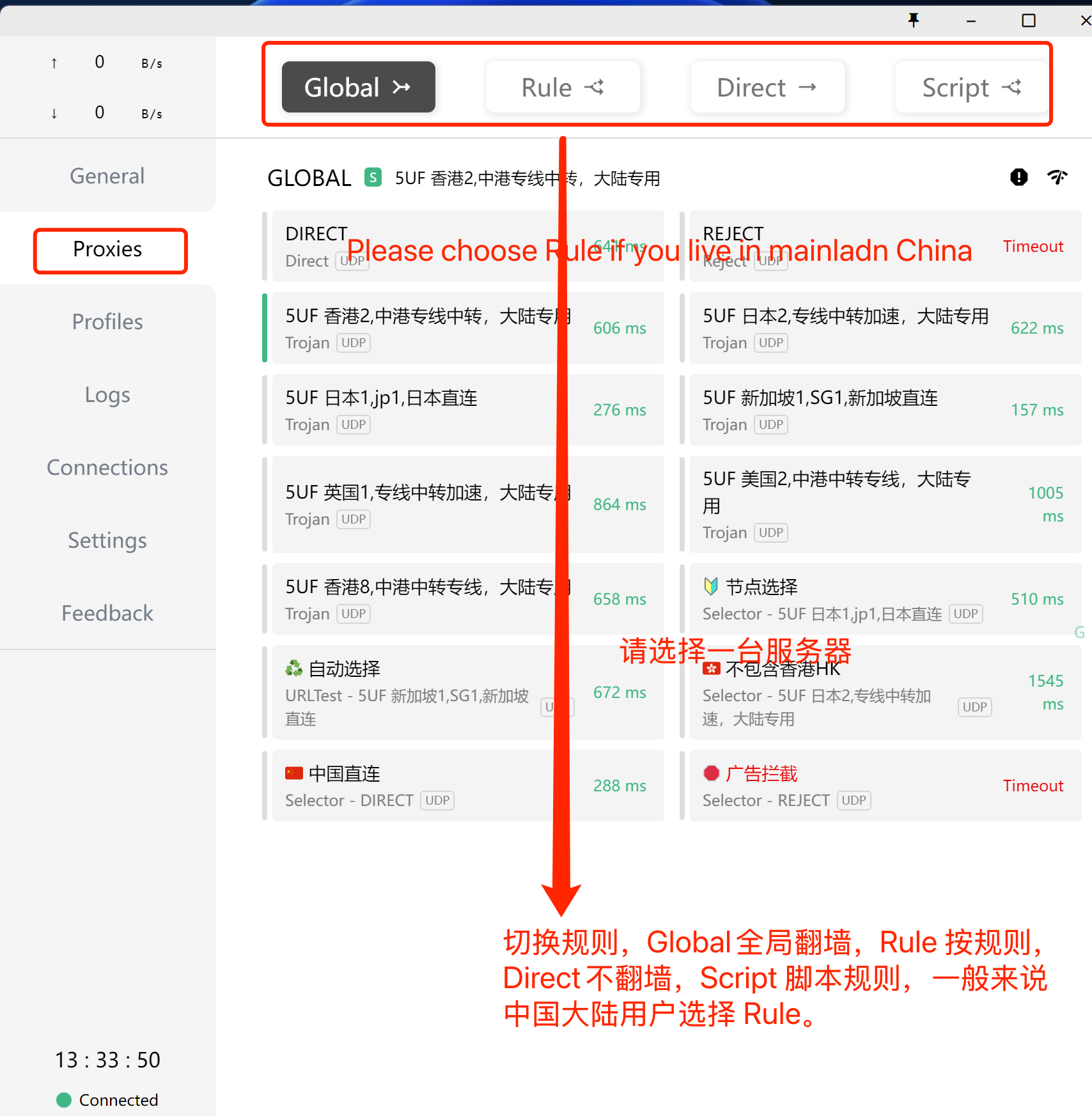
選擇剛下載好的規則(如上圖),選擇好服務器(如下圖),打開係統代理(下下圖),開始使用。
打開係統代理,如下圖:
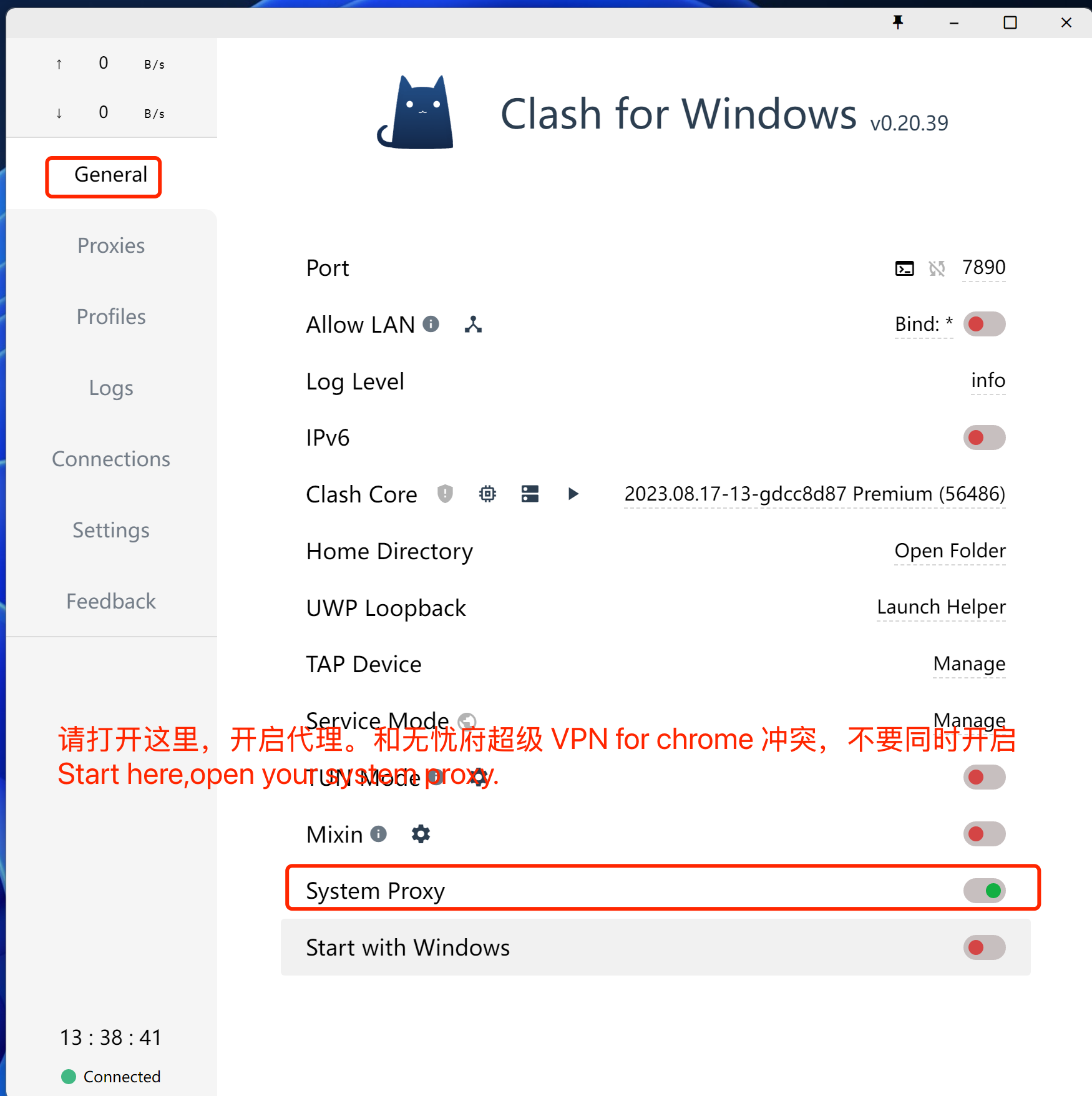
注意事項,如果你的瀏覽器同時使用無憂府超級 VPN for Chrome 插件時,這裏的代理會失效,同理,其它代理類的軟件都不能同時生效,你要先禁用插件,或者換一個瀏覽器。
打開網址:https://ip111.cn